
Understanding E-Stop Alarms: Protect Your Operators and Equipment
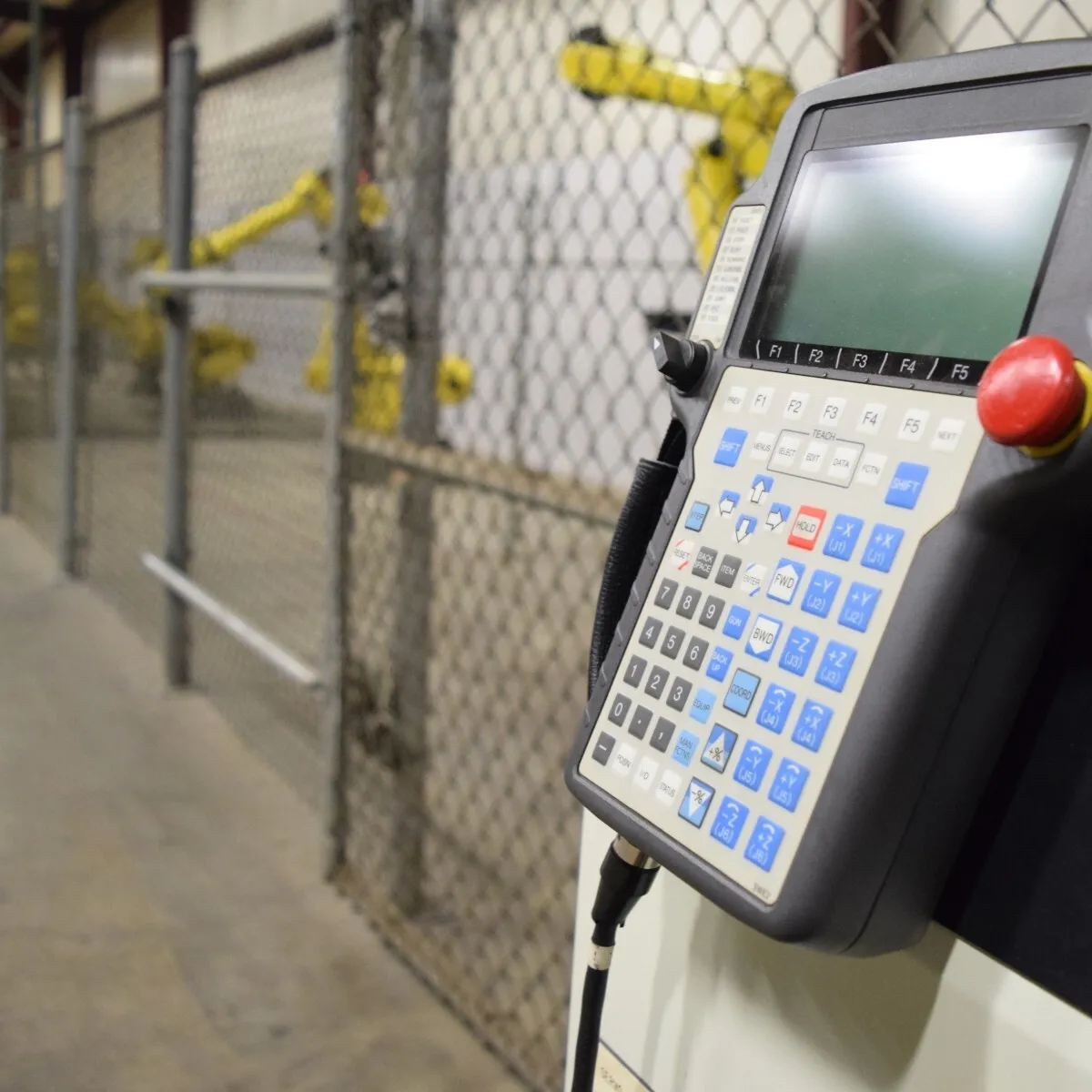
Stay Safe. Stay Smart. Stay Running.
In the automation-driven manufacturing world, safety and productivity go hand in hand. Industrial robots—such as the FANUC M-710iC/50, KUKA KR AGILUS, and Motoman MH50—perform highly complex, repetitive tasks with unmatched precision. However, even the most sophisticated systems can present a risk if safety protocols fail.
That’s where Emergency Stop (E-stop) alarms play a vital role.
More than just a red button, an E-stop is a critical safety device that can instantly shut down robot operations, helping to prevent injuries, avoid equipment damage, and minimize costly downtime. When these systems generate alarms, it’s a warning manufacturers can’t afford to ignore.
Whether you're performing welding, metal machining, assembly, or palletizing, understanding your E-stop alarms ensures both safety and operational excellence. This guide will help robot operators diagnose issues, understand alarm types, and determine when action is necessary.
What Is an E-Stop Alarm?
An E-stop alarm is a warning signal triggered when the robot's emergency stop system is activated—either intentionally during a hazard or unintentionally due to faults in the circuit. It is designed to:
- Stop all robot movement immediately
- Interrupt power to actuators and motors
- Notify operators of safety system activation
- Prevent automatic restarts until a manual reset occurs
Anatomy of an E-Stop System: Components and Placement
An effective E-stop system isn’t just a button—it’s a coordinated set of components working in tandem.
E-Stop Button
- Design: Red, mushroom-style actuator with a yellow background
- Function: Interrupts the control circuit when pressed
- Reset: Requires manual reset via twist or key
Safety Relay or Controller
- Monitors the E-stop signal path
- Ensures failsafe behavior (i.e., no restart without reset)
- Shuts down power to robot servos or CNC motors
Wiring and I/O Integration
- Connects the E-stop to the robot controller
- Often includes dual-channel redundancy to prevent false resets
Strategic Placement
E-stops should be located:
- On robot teach pendants
- At cell entry/exit points
- Near operator stations
- At CNC machine tool panels
- At overhead gantries or conveyor intersections
Proper placement ensures quick access in emergencies, especially in high-risk applications like laser cutting, die casting, or robotic deburring.
Common E-Stop Alarm Messages and What They Mean
Modern robot controllers issue specific alarms when E-stop circuits are engaged or malfunction. Here are some of the most common across major brands:
Alarm | Brand | Meaning | Action Required |
E-Stop Pressed (SRVO-062) | FANUC | Manual E-stop triggered | Inspect the area and reset |
External E-stop Active | Yaskawa Motoman | E-stop from outside controller triggered | Check external circuit |
E-stop Chain Broken | ABB | Fault in a dual-channel safety loop | Inspect wiring and relays |
E-stop Input Not Reset | KUKA | Reset button not turned after release | Manually twist to reset |
E-stop Timeout Fault | Multi-brand | Circuit failed to reset in expected time | Replace relay or cable |
Pro Tip: Alarm codes may vary between firmware versions—always consult your controller’s manual.
Symptoms That Signal Deeper Issues
Not every E-stop alarm means someone hit the button. Sometimes, it is your system’s way of asking for attention.
1. Frequent or Phantom Alarms
- Alarms appear with no user interaction
- May be caused by intermittent wiring faults or loose terminals
2. Robot Won’t Restart After Reset
- Likely a safety relay or logic controller issue
- Could also point to I/O board failure
3. Partial Shutdown or Axis Freeze
- Indicates partial engagement of the E-stop chain
- Some motors may still have torque—this is a major risk
4. Flashing Panel Lights or Beeps
- Audible or visual cues from the pendant or controller signal unresolved E-stop triggers
Diagnosing and Fixing E-Stop Alarm Issues
Getting your robot safely back online means following a precise troubleshooting sequence.
Step 1: Confirm Physical E-stop Activation
- Is the button pressed or stuck
- Try a twist-reset or key reset
Step 2: Inspect Cables and Connectors
- Look for frayed wiring or moisture ingress
- Check that all safety loop wiring is securely connected
Step 3: Check Safety Relay/Module Status
- On units like the ABB IRC5 controller, verify that relay LEDs are in a "ready" state.
- If indicators show faults, a relay replacement may be necessary
Step 4: Test the System
- With the robot powered down, use a multimeter to verify E-stop continuity
- If available, swap in a spare E-stop button or relay
Step 5: Review System Logs
- Controllers such as FANUC iPendant Touch or can display log history
- Look for patterns: timing, user ID, specific areas
Industries That Depend on Flawless E-Stop Systems
E-stop reliability is mission-critical in high-risk, high-output sectors:
- Automotive Manufacturing
- Food and Beverage Packaging
- Aerospace Assembly
- Pharmaceutical Production
- Metal Fabrication
A misfire in any of these environments could lead to injury, equipment damage, regulatory violations, and lost production time.
Best Practices to Prevent E-Stop Alarms
- Train operators on correct E-stop use and reset protocols
- Label all E-stop stations and test monthly
- Keep a log of all E-stop activations for analysis
- Stock replacement parts
- Schedule safety audits and preventative maintenance every quarter
Get Back Online Faster with Robots.com and T.I.E. Industrial
At Robots.com, part of T.I.E. Industrial, we understand that downtime isn’t just inconvenient—it’s expensive. That’s why we offer:
- Factory-refurbished robots from FANUC, KUKA, ABB, Universal, and Motoman
- Replacement E-stop units
- Expert diagnostics and repair—fast, reliable, and backed by OEM standards
- CNC maintenance training and support to keep your operators informed and your robots safe
Let us help you protect what matters most—your people, your equipment, and your production.
Contact us to find your next robot, request a part, or speak with a safety expert today.
Let's get in touch!
Related Articles
You might be also interested in:
- Robotics Applications
- Featured
Latest Advancements in Material Cutting Robotics
Read about the latest technological advancements in robotic material cutting.
- Innovation & Trends
- Featured
Emerging 3D Vision Technologies for Industrial Robots
Learn about the emerging 3D vision technology that businesses are using for industrial robot applications.

- Innovation & Trends
- Featured
Most Popular Industrial Robotic Applications for 2021 and Projections
Explore the most popular application trends of 2021 and what to expect in the future.
- Robotics Applications
- Featured
MAG Welding Defined
Automating your MAG welding process will help to bring faster and more consistent cycle times. A robotic MAG welder will also help to improve the weld quality, helping your customer's become more satisfied with the final product. If you are interested in integrating a new or refurbished robotic system, contact Robots.com experts today.
- Manufacturers
- Featured
AccuFast II Tackles Seams Quickly and with Quality
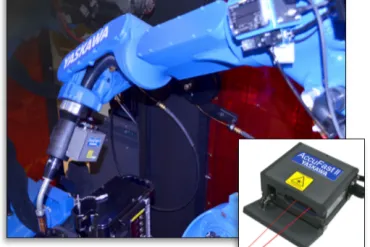
Motoman provides users with add-on features to help enhance the seam finding for their automated welding line. AccuFast II offers improved sensor capabilities that provide even higher amounts of reliability. It provides more readings for a wider range of materials and angles not formerly feasible.
- Robotics Applications
- Featured
Flexible Manufacturing Lines
Each year the automation industry continues to innovate and bring solutions that will improve the productivity, flexibility, and efficiency on a wide range of production lines. This is seen with the flexible manufacturing that enables a robot to work on different types of products in the same workcell. Flexible manufacturing lines help to provide an increase in productivity and manufacturing volume.