
What is ROBOGUIDE? An Intro to Fanuc Simulation Tools
ROBOGUIDE is a program developed by Fanuc that creates a simulation using a virtual robot. The virtual robot in ROBOGUIDE is able to guarantee a high accuracy of the process before it is run in order to save manufacturers time and money.

ROBOGUIDE, a robot simulator program developed by Fanuc, houses a host of options for software products. The simulation occurs by using a virtual robot. Both the robot’s movement and application commands are simulated with this program. Fanuc ensures a highly accurate simulation process when enlisting the help of ROBOGUIDE.
The standard software’s modeling function was developed with the aim to reduce time for modeling devices. CAD data can be imported to create the parts by the modeling function. A large library allows the user to select and modify the parts and dimensions necessary. ROBOGUIDE’s program function allows the user to create the actual program via the same user interface as the Robot Teach Pendant. The layout function can be changed either by numerical input or by mouse on a graphic screen.
Some notable features of ROBOGUIDE are the simple creation of layout for devices; even an inexperienced user should find the process easy. The program creation uses an animation tool that allows for a quick and inexpensive verification of the robot application systems. Start-up and maintenance times are both greatly reduced due to offline checking.
ROBOGUIDE incorporates many application-specific tools into its software options. With HandlingPRO software, there is no need for a prototype work cell setup. This software allows users to simulate a robotic process or study feasibility options for applications in a 3D space. PaintPRO is a graphical offline programming tool for path teach and paint process development. PalletPRO simulation software enables a user to completely build, debug, and test a palletizing or depalletizing application offline. With WeldPRO, users can simulate the robotic arc welding process in a 3D space. SpotPRO does the same for spot welding.
From the design to the confirmation process, ROBOGUIDE makes it easy and cost-effective to use offline programming for robot simulation. Robots.com offers many different types of robotic software systems. If you would like to find out which one is best for your robot, contact us today at 877-762-6881.
Related Articles
You might be also interested in:
- Programming & Software
Industrial Robot Fault Recovery: A Step-by-Step Execution Guide

- Programming & Software
Guide to Fanuc R-2000 Series Robots: Features & Uses
In the world of manufacturing and automation, Fanuc stands as a trusted name, offering a remarkable range of industrial robots. In this in-depth guide, we explore Fanuc's R2000 series, focusing on the R2000iB, R2000iC, and R2000iA robots, comparing and contrasting their capabilities.
- Programming & Software
Improving Fanuc MIG Welding with TorchMate Sensors and ArcTool Software
ArcTool Software helps bring easier programming of MIG and other types of arc welding for Fanuc robots. It helps to decrease downtime by decreasing path teaching through the addition of advanced process functions. TorchMater sensors enable MIG welders to compensate for changes in the torch or wire tip position, reducing the need for path programming and torch repair. Overall, these two softwares options help to improve the production line.
- Programming & Software
Introduction to Collaborative Robots
Topics include definitions and terminology of collaborative robots, a brief history, applications, advantages and disadvantages, and programming techniques.
- Programming & Software
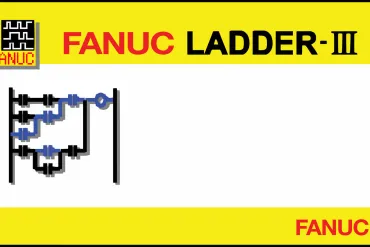
The Benefits of Using Fanuc PMC for Integrated Control
Fanuc has a solution for easy programming of your robot using a software called PMC, Programmable Machine Control, using the internal CPU and Ladder - III software. Learn more about the benefits of this robotic programming setup here.
- Programming & Software
Offline Programming Increases Uninterrupted Robot Work
Robot programming is conducted by a hand-held device called a teach pendant which has numerous buttons to program the robot on-site. Offline programming (OLP) is also becoming available so that a graphical representation is available for viewing anywhere. Offline programming allows programming of robots outside of the production without any stoppage, reducing the overall downtime.
Let's talk!
Request your quick quote today.